Invite the right people
Build family and VIP groups, personalise invitations, collect RSVPs, coordinate vendors and prepare each check-in device.

Bring invitations, family groups, RSVP, vendors, offline-capable QR check-in and celebration gifting into one operational workflow.
One shared wedding record
A SecVite invitation stays connected to the guest's RSVP, family group, approval status and gate entry. That means fewer lists to copy, fewer names to reconcile and a much calmer handover from planning team to check-in team.
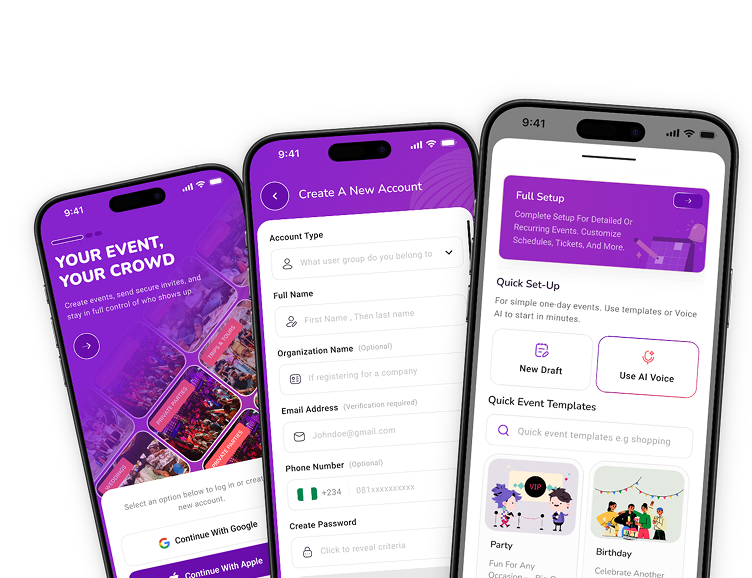
Across the whole wedding
Build family and VIP groups, personalise invitations, collect RSVPs, coordinate vendors and prepare each check-in device.
Run several gates, validate guests offline, follow arrivals live and let guests spray or gift from the browser.
Review attendance, gifts, payments and settlement records without reconstructing the day from chats and screenshots.
One wedding, several operating plans
Traditional ceremonies, civil services, religious ceremonies and receptions may have different dates, venues, capacities and guest lists. The useful planning unit is not simply “the wedding”; it is each moment that needs its own access, timing or team.
Decide which households and individuals are invited to each ceremony, how plus-ones work and who approves a late addition. This prevents a broad invitation from becoming an accidental promise of access everywhere.
Give relatives clear operational responsibilities—such as reviewing a guest group or supporting the gate—without turning one shared spreadsheet or account into the source of every decision.
Record which supplier serves which ceremony, their setup window, balance and event-day contact. A photographer covering two venues needs a different handover from a caterer serving one reception.
Choose when each venue, caterer and transport provider needs a fixed number. Continue recording RSVP changes, but make the cost and capacity cut-offs visible to the planning team.
The week-of handover
Before the first ceremony, confirm the latest approved guest records, load check-in devices, name the person who can resolve gate exceptions, review critical vendor arrivals and identify any payment or settlement follow-up. The goal is not to teach every helper the whole platform; it is to make each role and escalation path unmistakable.
Yes. Organisers can manage separate event details, guest groups and access needs while keeping the wider wedding plan connected.
Yes. SecVite supports multiple officers and gates, including offline validation when venue connectivity is unreliable.
No. Guests can open invitations, RSVP and use enabled gifting experiences from shared links in their phone browser.
Yes. Organisers can give event-team members operational access appropriate to their role rather than sharing one account or spreadsheet.
Creating and managing an event is free. Get SecVite and keep the whole event connected.